Tuesday, January 18, 2011
Benefits Of Remote Computer Access Computer software
Technologies has permanently altered our individual and operate lives. With access to the newest personal computers and programs, it is possible to total duties quicker and far more effectively than within the past. Over the last few many years there is a substantial boost in the amount of folks operating form home on a complete time or part time basis. This might be a way of life choice which is now less complicated thanks to remote Computer accessibility software.
Remote Pc software program program permits us to access our office pcs from the comfort and convenience of home, or when travelling. If in the past you have needed to carry CDs, pen drives, and portable tough drives when you had been planning to spend days or weeks out of the office, it is an activity that can now be consigned to historical past. No matter exactly where within the globe you journey to, it really is feasible to remotely open, edit, and use any file or prepare stored in your work Pc.
When you quite first open the remote Pc application you'll be prompted for your username and password from the individual computer you'd like to make use of. As long as both the PCs have been configured properly, you will then possess the ability to log on to the remote Pc and use it as if it is your primary workstation.
Just before you might be within a position to use any computer remotely it is essential to test the firewall settings to make sure that distant access is permitted. Instantly, most computers could have their safety suite set up to prohibit others from remotely accessing the tough drive, this really is important to support make sure no confidential particulars gets stolen. You will must create an exception to the firewall guidelines if you are to access the Computer.
It is not just your work e-mail account which you could be able to use from 1 more Pc, any folders, files, and documents stored around the other individual computer will almost certainly be available. In situation you have an interest in paying more time operating from property, this application may possibly well probably just be the reply you might be trying to find.
More companies are now exploring the option of allowing administrative and clerical employees to carry out their duties from their very own homes. With fast broadband speeds now widespread location in most homes, working remotely is no longer a far off dream. In fact, there's a belief that office productivity and effectiveness could be enhanced by permitting team members to invest a while working from their really own place of residence.
If you are planning a trip, but are concerned about investing time out of the office, you might end up copying an awesome offer of files from the operate Computer for your laptop computer, so as to keep on top of the duties. Now with remote Computer accessibility application plan it is probable to journey to practically any place within the globe and nonetheless keep as much as date with what's taking place back again inside your workplace.
The same application can also be useful in the home if you have children and are worried about their browsing activities. It is not always possible to physically sit with young kids to observe their online habits. With remote PC access software you can easily find out what websites have been visited and if any worrying downloads have been stored on the PC.

Friday, January 14, 2011
Why Management Software Inventory System Saves Time And Lessens Mistakes
While sometimes impractical for the individual or small business, it serves to find a solution for any size business to track all their programs, associated licenses, and users. With Management Software Inventory, you will have an effective tool to manage all your installations in one convenient place. While there are several options available to do this, look for a solution that provides you room to grow as your business expands.
There are very few companies that do not use desktops or laptops in todays competitive environment It is not uncommon to have a variety of operating systems and proprietary packages across a myriad of hardware platforms. If for no other reason than maintaining security, it is critical to keep a tally of what each user can access.
Not all employees will have access to all the programs a company may have. As an example, there may be supervisors who have access to certain programs that an hourly employee would never use. Furthermore, the configurations and access levels will differ between job functions.
Having this type of control allows the information officer to duplicate common features rapidly across multiple machines. With a mirror image of a machine, you can readily duplicate over to a machine that will be used by someone performing similar tasks. It also facilitates installation on new equipment or, in the event of hard disk loss, a new drive.
As providers are getting savvier at tracking their licenses, you run the potential of having unauthorized programs installed on your machines. With this type of system, you will know at a quick glance what is authorized and ensure you are compliant with licensing. Furthermore, you will have greater control over unauthorized alien ware.
Nearly any machine you acquire will already have the operating system installed along with basic office tools. However, you can migrate any customization immediately to new machines and avoid the hassle of knowing where your programs are installed. When upgrades or security fixes are announced, you can quickly install them over a broad range of users.
By understanding exactly what you have, you can also prevent the company from expending funds on a tool it may have on another machine, yet is not in use. Some staff members will install trial versions, then seek approval to purchase the entire suite. With proper communication and control between departments, you can avoid duplicating purchase requests and save funds versus acquiring unneeded licenses.
Electronic data security is a full-time effort. Preventing unauthorized access is easier with this tool and you can significantly reduce the risk of your data being compromised. Any investment you make in prevention will pay for itself in a short amount of time.
Whether you are starting from scratch or upgrading, be sure you keep your system current. Many solutions are available that can be customized to your exact requirements. It is imperative to maintain your database and keep it accurate. Regardless of the company's size, start now and avoid the potential for data loss through using a management software inventory system.
While sometimes impractical for the individual or small business, it serves to find a solution for any size business to track all their programs, associated licenses, and users. With Management Software Inventory, you will have an effective tool to manage all your installations in one convenient place. While there are several options available to do this, look for a solution that provides you room to grow as your business expands.
There are very few companies that do not use desktops or laptops in todays competitive environment It is not uncommon to have a variety of operating systems and proprietary packages across a myriad of hardware platforms. If for no other reason than maintaining security, it is critical to keep a tally of what each user can access.
Not everyone in the organization has the need to use certain program features or standalone programs. The accounting department may not need access to the marketing departments tools and vice versa. Having this knowledge allows control without limiting functionality.
The information officer can quickly generate installations across several computers without having to sit at each machine. By having a common image of the programs installed, it is relatively simple to replicate the needed features and options for similar users. Furthermore, in the event of data loss or other catastrophe, reinstallation is quick and effective.
As providers are getting savvier at tracking their licenses, you run the potential of having unauthorized programs installed on your machines. With this type of system, you will know at a quick glance what is authorized and ensure you are compliant with licensing. Furthermore, you will have greater control over unauthorized alien ware.
Nearly any machine you acquire will already have the operating system installed along with basic office tools. However, you can migrate any customization immediately to new machines and avoid the hassle of knowing where your programs are installed. When upgrades or security fixes are announced, you can quickly install them over a broad range of users.
With a clear knowledge of what you have and do not have, you will avoid an unneeded outlay of money for programs you may already have licensed and that are installed on machines that are no longer in operation. Frequently, a user installs a shareware version and then a purchase request is sent to acquire a complete system. Having a database of what you own and are not using allows you to avoid purchasing something you may already have.
Electronic data security is a full-time effort. Preventing unauthorized access is easier with this tool and you can significantly reduce the risk of your data being compromised. Any investment you make in prevention will pay for itself in a short amount of time.
If this is your first time acquiring a solution, look for one that is turnkey and ready to go. Larger corporations will also benefit from turnkey programs that can be tailored to their specific needs. The important thing is to begin. No matter the size of your entity, begin preparation now to have complete control with management software inventory. Doing so allows you to reduce your risk and remain competitive.
There is nothing worse than losing data or programs across several machines due to viruses or other reasons. As a preventative measure, you will want a Management Software Inventory system, which allows you to control who is using what and make installation steps easier. With everything centrally located, you will be able to rapidly assess your situation and make changes across a variety of platforms.
Virtually every business works with computer today. In addition, many have multiple systems with as many departments and individuals using them. One of the most difficult things to do is keep track of all this, including the configurations of the individual machines. For this reason, it is imperative to maintain a method of quickly identifying who has what.
Not everyone in the organization has the need to use certain program features or standalone programs. The accounting department may not need access to the marketing departments tools and vice versa. Having this knowledge allows control without limiting functionality.
The information officer can quickly generate installations across several computers without having to sit at each machine. By having a common image of the programs installed, it is relatively simple to replicate the needed features and options for similar users. Furthermore, in the event of data loss or other catastrophe, reinstallation is quick and effective.
As providers are getting savvier at tracking their licenses, you run the potential of having unauthorized programs installed on your machines. With this type of system, you will know at a quick glance what is authorized and ensure you are compliant with licensing. Furthermore, you will have greater control over unauthorized alien ware.
Unless you build them yourself, your machines will come with an operating system already installed. However, updating these and creating customization can be time consuming if you need to sit at every machine. You will no longer need to do this, as you will be able to install any upgrades, hot fixes and more from a central environment.
By understanding exactly what you have, you can also prevent the company from expending funds on a tool it may have on another machine, yet is not in use. Some staff members will install trial versions, then seek approval to purchase the entire suite. With proper communication and control between departments, you can avoid duplicating purchase requests and save funds versus acquiring unneeded licenses.
Electronic data security is a full-time effort. Preventing unauthorized access is easier with this tool and you can significantly reduce the risk of your data being compromised. Any investment you make in prevention will pay for itself in a short amount of time.
Whether looking at first time acquisition, or an upgrade to your management software inventory, you are making a wise investment in the security of your company. It is never too late the start. The bottom line is any company deserves to have a powerful tool that allows them to remain competitive, mitigate risk, and operate within budgetary guidelines.
Thursday, January 13, 2011
How To Buy The correct Internet Security Software For An Reasonably priced Value
Most individuals in these days society own a pc or possibly a laptop. They also tend to have an web connection therefore they are able to access the world extensive web. However, this inevitably brings up the issue of viruses and other internet related risks. The answer for this sort of things can be a software that protects the pc. The concepts in the subsequent paragraphs will inform one how you can buy the best internet security software for an inexpensive cost.
If one has in no way had a computer prior to then he's almost certainly not extremely skilled within this area. These men and women are suggested to talk to their household members and their pals. Usually, at least 1 or two of these individuals will know a great deal about pcs and virus protection.
An additional alternative is to go on the internet and study this subject. Within this situation 1 will must read as a lot of content associated to this subject as possible. Online forums and chat internet sites will even help a person to get some very good advice for his dilemma. 1 may also need to contemplate to get some Computer magazines and get further data from there.
When contemplating of buying this product 1 will inevitably feel of your price initial. Again, the world broad web can assist a whole lot as you'll find numerous on the internet comparison internet pages that enable a person to find out the costs with the distinct software and sellers. One has also received the choice to buy the product on the web.
The other choice is to drive about in one's town and go to all the stores and retailers that offer such software program. Even though this is much more time consuming and 1 has to invest some funds on fuel, it is actually really worth it as one can not only talk to the professional shop assistants but also see the products for himself. One ought to use this chance and get as significantly details from your shop assistants as possible.
Right after acquiring checked the internet and also the nearby stores 1 could need to move on and purchase one of the goods. Within this situation he can possibly order it on the internet or go and gather it from store. The advantage of ordering in the planet broad internet is the fact that 1 can both obtain the computer software immediately or it will be delivered to his residence. Even though this can be a very comfy choice, one has to wait for the publish to provide the purchased product.
Purchasing it within a store is less comfortable as one has to drive to the store, stand in the queue after which deliver the item property. Even so, 1 does not have to wait two or three business days for your delivery to arrive. The buyer is suggested to keep the receipt the buy in situation their are some troubles with the product later on.
Possessing examine the suggestions within the paragraphs previously mentioned 1 should have a far better comprehension of how to purchase the correct internet security software for an cost-effective value. Additional info could be discovered in Pc magazines or in content published to the internet.
Get within information on how and where to buy the correct internet security software at a genuinely affordable cost now in our manual to leading protection software program on http://it.n-able.com/
Tuesday, January 11, 2011
Anti Virus Anti-Virus Solutions
Many individuals think that once they purchase a new computer, they will convey it home, hook it up, and automatically start playing recreations and listening to music. Although this is possible, it's not invariably wise. Plenty people fail to remember among the many most vital s, downloading anti-virus software!
A virus is a software program that attaches itself to your computer and may lead to quite a few main damage. It can cause your computer to run slowly or shut it down. The problems can certainly damage your personal computer for better or can cause you to want to get a repair which can cost you a couple of hundred dollars. One or two individuals delay until a problem arises before they buy a program.
The programme is accessible for download and read free of charge, and all that this makers enquire you to undertake is to register your use, that is reasonable. I actually am joyful about the method that in which this works with my pc in place of against it, permitting me to undertake all those issues I would like to without slowing the whole machine down for instance like Norton used to.
These mobile computer software anti-viruses aid us to stay composed and prepared for the assaults of malicious programmes that may practically impair the system of our phones. The defenses that they build into the network layer are definitely the most precious system of protection. In selecting mobile antivirus solution, search for the one which supports your device along with its working system. Also, the anti-virus software ought to be trouble-free to use, has on the air updates and a genuine time virus scanning and will scan all attachments for viruses. Even though anti-viruses may considerably decelerate your mobile phone however it is in addition to doubt one of the best protection.
Malware Bytes may help restore any problems you could be possessing with boot up at start, these problems are ordinarily the result of fake anti-virus computer software such as the AVG Clone and Click on Potato associated pretend anti-virus programs.
extensive as the paid edition and should not have a few of the essential features.
������
After downloading, set up the program. Once the
program is installed, activate the car replace first. This will maintain you from
having to update the program manually. However, you are able to invariably manually update
Find out the secrets of anti virus here.
Donna Stahoski is your Anti Virus savant who also discloses information sony laptops reviews,sony laptops reviews,radio programas on their own site.
Best
A virus is a software program that attaches itself to your computer and may lead to quite a few main damage. It can cause your computer to run slowly or shut it down. The problems can certainly damage your personal computer for better or can cause you to want to get a repair which can cost you a couple of hundred dollars. One or two individuals delay until a problem arises before they buy a program.
The programme is accessible for download and read free of charge, and all that this makers enquire you to undertake is to register your use, that is reasonable. I actually am joyful about the method that in which this works with my pc in place of against it, permitting me to undertake all those issues I would like to without slowing the whole machine down for instance like Norton used to.
These mobile computer software anti-viruses aid us to stay composed and prepared for the assaults of malicious programmes that may practically impair the system of our phones. The defenses that they build into the network layer are definitely the most precious system of protection. In selecting mobile antivirus solution, search for the one which supports your device along with its working system. Also, the anti-virus software ought to be trouble-free to use, has on the air updates and a genuine time virus scanning and will scan all attachments for viruses. Even though anti-viruses may considerably decelerate your mobile phone however it is in addition to doubt one of the best protection.
Malware Bytes may help restore any problems you could be possessing with boot up at start, these problems are ordinarily the result of fake anti-virus computer software such as the AVG Clone and Click on Potato associated pretend anti-virus programs.
extensive as the paid edition and should not have a few of the essential features.
������
After downloading, set up the program. Once the
program is installed, activate the car replace first. This will maintain you from
having to update the program manually. However, you are able to invariably manually update
Find out the secrets of anti virus here.
Donna Stahoski is your Anti Virus savant who also discloses information sony laptops reviews,sony laptops reviews,radio programas on their own site.
Friday, January 7, 2011
Access Remote Pc Remote Access Pc
PC remote control access will permit you to get genuine time updates and access to your personal computer every time you need it, and wherever you'll be. While using assist of remote control software, you can get all the PC remote access will allow you to get real time updates and access to your computer whenever you would like it, and wherever you can be.
Remote Access
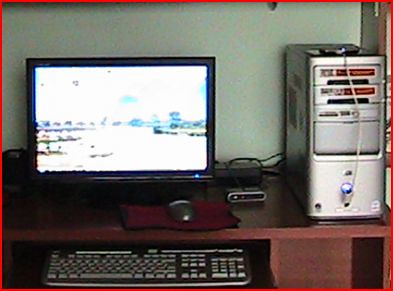
Remote PC Access technology enables you to entry any PC despite firewall, routers, IP addresses etc. The only state of repAir is that this PC you are trying to access from afar have to have an Online connection and must be switched on. To be able to entry your personal computer remotely, very first you should log on to that PC as an administrator, or an account that's part of the remote desktop customers group. Click 'Remote' on 'Properties' in 'My Computer', and the by clicking the option "allow utilizer to hook up with remotely to the computer," you can admission to any PC from any corner of the world, so extended as you have official rights to access it.
When shopping around for this kind of software programs take note of the various versions. For instance, Remote Desktop Software was created specifically by using a desktop PC in mind; it really is configured to run at optimum effectivity using a desktop, whereas there can be other software programs packages designed while using the laptop computer in mind. Things are carried out this manner as a result of the differing parts between the two. However, in a few cases you will see a course of study that may incorporate both sorts of computer systems (desktops and laptops). Contemplating the incontrovertible fact that you must buy some other license for every unique PC, it genuinely will not matter.
The actual progress in remote PC access and manage came about with broadband internet. Not only might broadband handle the upper information requirement of Windows, it was an constantly on connection with no dialing and modem discussions to attend for - and hope worked!
If you are a 4-hour workweek practitioner, you can carry a small netbook with you to access your host computer someplace else, but you'll discover that a smartphone could be all of that is required to hook up with the assets needed to complete the necessary work while you attend to other matters in your own life may well be much more significant than work.
Save Fuel and Stress!- In place of sitting in your own vehicle for 2 long periods a day in mind numbing traffic, why not sit down on your house PC and get many work done?
Bosses can have a happier work place- Give your employees the liberty to get work done remotely and you will have yourself a happier work force.
Discover more about access remote pc here.
Rupert Kanai is our Access Remote Pc specialist who also reveals strategies discount computer memory,printable memory game,data recovery renton on their web resource.
Access Pc Guide
Maintaining communal entry PCs could be very crucial. In spots for instance cyber cafes, hotels, libraries, universities etc. wherever computers are utilized by a number of individuals everyday, there’s the intense menace of misuse and sabotage. Suppose among the clients decides to end a banking transaction on one of many PCs and shortly after, another utilizer make up one's mind to steal the information – it could be disastrous for the proprietor of the information. With impending id theft menace where anything from credit card information, banking details, passwords, and so on may be stolen, it transforms into mandatory to have many kind of system that permits the community administrator to rollback the system to some state that does not show this touchy information. Rollback Rx system restore software and disaster recuperation answer is a foolproof system that allows the administrator, with just one click, to revive an entire community of PCs into the desired configuration.
Access Pc

The software programs is definitely very just like how many so-called adware programmes work. You have a host PC and an access computer. By fitting a small piece of computer software on both computers, the access computer can certainly get self-contained manage over the host. As scary as it might as well sound, this is definitely very safe and a very effective method that to provide complete versatility mobility.
What makes remote control entry software programs so powerful it that it can provide you with complete management over the host PC. Its not nearly connecting to check your e-mail or to copy file or two across. Its like sitting at your work computer. It replicated your whole system which means that you are able to make use of the software programs on the host computer. You can certainly work, save files, print as well as utilize the community - all from only one remote PC.
I am sure that you are able to start to see the likely if your an workplace worker who has to commute a lot. Since web connections are nearly without limits these days, it permits you to entry your work PC from everywhere internationally and at any time you prefer with out disrupting anything on your network.
If its flexibility you are searching for then this is a bit of software programs well worth investing in. If you are a company owner, then remote control PC access software programs can certainly transform your company and provides you and your staff members total mobility and a a lot improved and really highly effective method work together and collaborate.
To learn much more about remote PC access software, visit my web-site and see which entry computer software is appropriate for you.
Discover more about access pc here.
Rona Buyck is todays Access Pc commentator who also reveals information spyware doctor with antivirus,block email lotus notes,compare newegg on their own blog.
Thursday, January 6, 2011
Access Pc Software Access Sfotware
Two yrs. ago, a citizen of White Plains, New York came to be a victim to laptop computer theft. It was reported that he left his laptop computer on best of his car, prompting its theft. Work articles, pictures, site access and various important information, gone in one day.
Today's remote PC access computer software works seamlessly with nearly every working system, firewall, network and antivirus package on the market. You would possibly not even know that it is running on almost any modern pc that you're going to find, and there's the little secret that your business may possibly well not desire you to know about.
Packages along the lines of GoToMyPC is incredibly simple to use and was produced with the house user in mind. By just installing the necessary software on 2 computers, you are capable of connect to a host PC (like your personal computer at work) by way of a second pc just by using an connection to the internet and a web browser (like World wide web Explorer or Mozilla Firefox).
There was a time that such software was too complicated to make use of for mass production. Today, drastic changes and enhancements to these packages not only made their situation affordable, but in addition user-friendly to individuals who only have average information and sufficient knowledge of computers. Teachers, businessmen, clinical practitioners and scholars may now use remote control access PC software for fast information exchange and access. You need not have a bachelor's stage in laptop science simply to make use of this tool; purchase, download, and a fast read on directions will make this software programs your chum in times of need.
So keep this on your mind when you are losing time in your companies computers. You might as well never know if they're watching your card amusement or speaking to your boyfriend or girlfriend immediately messenger. It could seem ideally blameless to you however to your company it could seem like another problem all together and that is the concern that you ought to know about.
Find out the secrets of access pc software here.
Merle Linsin is our current Access Pc Software specialist who also informs about research paper writing software,download limewire,student discount software on their web site.
Networks
Today's remote PC access computer software works seamlessly with nearly every working system, firewall, network and antivirus package on the market. You would possibly not even know that it is running on almost any modern pc that you're going to find, and there's the little secret that your business may possibly well not desire you to know about.
Packages along the lines of GoToMyPC is incredibly simple to use and was produced with the house user in mind. By just installing the necessary software on 2 computers, you are capable of connect to a host PC (like your personal computer at work) by way of a second pc just by using an connection to the internet and a web browser (like World wide web Explorer or Mozilla Firefox).
There was a time that such software was too complicated to make use of for mass production. Today, drastic changes and enhancements to these packages not only made their situation affordable, but in addition user-friendly to individuals who only have average information and sufficient knowledge of computers. Teachers, businessmen, clinical practitioners and scholars may now use remote control access PC software for fast information exchange and access. You need not have a bachelor's stage in laptop science simply to make use of this tool; purchase, download, and a fast read on directions will make this software programs your chum in times of need.
So keep this on your mind when you are losing time in your companies computers. You might as well never know if they're watching your card amusement or speaking to your boyfriend or girlfriend immediately messenger. It could seem ideally blameless to you however to your company it could seem like another problem all together and that is the concern that you ought to know about.
Find out the secrets of access pc software here.
Merle Linsin is our current Access Pc Software specialist who also informs about research paper writing software,download limewire,student discount software on their web site.
Subscribe to:
Posts (Atom)